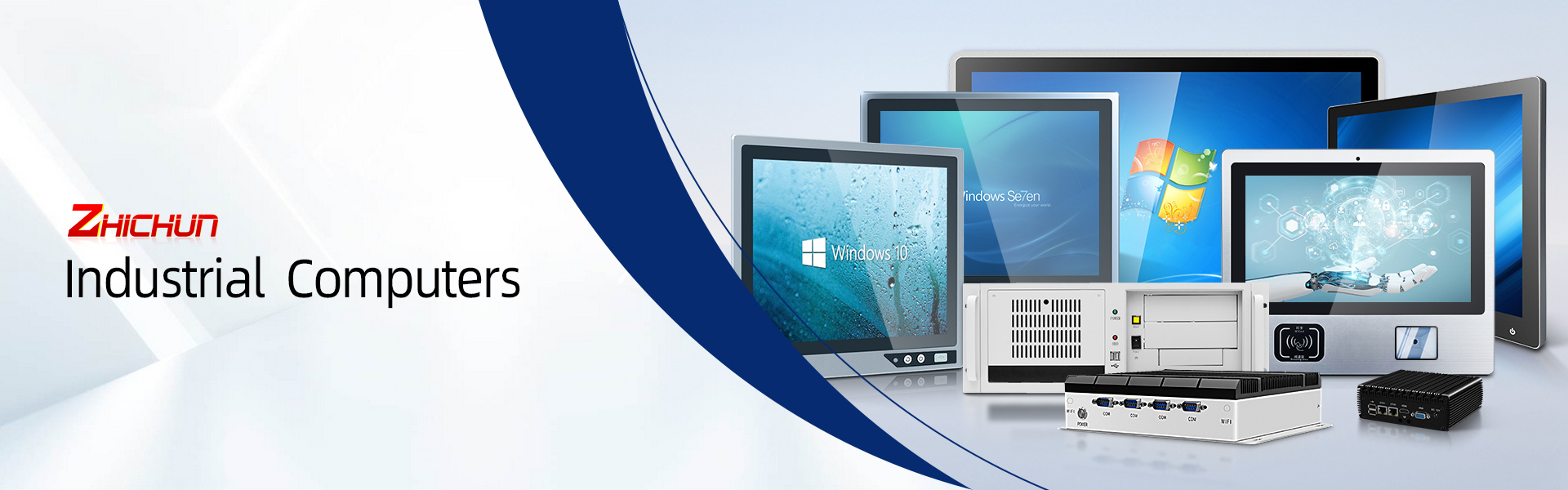
A factory-floor computer has a harder job than a standard office PC. It may need to run an HMI or MES application near dust, vibration, temperature changes, electrical noise, cleaning spray and continuous production activity. It also has to give operators a clear interface and connect reliably to the rest of the control system.
That is why engineers often choose an industrial panel PC instead of adapting a consumer desktop or laptop. A rugged ZHICHUN panel PC with HDMI interfaces combines a built-in industrial display with a computer platform, while selected configurations can add HDMI for a second screen, engineering monitor or larger visualization display.
The important qualification is that industrial performance is configuration-specific. IP rating, processor, memory, storage, operating temperature, touch technology, power input and available I/O should be checked against the exact model and installation conditions before ordering.
For manufacturing teams, ZHICHUN is worth evaluating because its product range covers industrial Windows panel PCs, Android panel PCs, fanless mini PCs, touch monitors and customized industrial computers. Its published quality process includes high- and low-temperature testing, anti-static interference testing and anti-vibration testing. The company also provides project consulting, OEM/ODM customization and technical resources such as specifications, CAD drawings and installation instructions.
A standard PC is usually designed for a clean, comfortable office. It assumes controlled temperature, limited vibration, easy access for maintenance and a short daily operating cycle. A manufacturing PC has different priorities:
Mechanical durability:
● The enclosure and mounting system must tolerate installation on a machine, control cabinet or production wall.
Dust and water protection:
● A sealed front panel can help protect the display and touch interface from dust and water exposure. IP ratings must be verified for the selected model and should not be assumed to cover every connector or the complete enclosure.
Thermal design:
● Fanless construction avoids a moving air intake that can pull dust into the system. It still requires a suitable heat-dissipation path and adequate clearance around the chassis.
Industrial connectivity:
● Ethernet, USB, serial ports and other interfaces may be needed for PLCs, barcode scanners, sensors, drives and service equipment.
Long operating cycles:
● The system should be validated for the intended duty cycle, ambient temperature and application load instead of relying on a consumer-PC specification.
Serviceability and lifecycle planning:
● A panel PC should be selected with mounting drawings, replacement planning, OS support and vendor response in mind.
These are not merely marketing features. They affect unplanned downtime, maintenance access and the time needed to commission or troubleshoot a production line.
Many manufacturing areas generate particles from machining, woodworking, packaging, grinding or material handling. A conventional fan continuously moves air through the enclosure. Over time, dust accumulation can restrict airflow or contaminate internal components.
A fanless industrial panel PC uses passive heat dissipation instead of an internal cooling fan. ZHICHUN publishes fanless designs across its industrial PC and panel PC range. This can reduce moving parts, noise and one common path for dust intake.
Fanless does not mean immune to overheating. Engineers should still confirm:
● Ambient operating temperature
● Processor thermal design and application load
● Chassis clearance and mounting orientation
● Heat transfer to the cabinet or surrounding structure
● Whether the enclosure is exposed to direct heat or sunlight
A well-matched fanless system is a practical choice when low maintenance and reduced dust entry matter.
ZHICHUN product pages describe IP65 front-panel protection on several industrial panel PC configurations. For an operator station, this can help protect the front display and touch area against dust and water jets encountered during normal industrial cleaning or process work.
However, an IP65 front panel is not the same as a fully IP65 or IP67 system. The final protection level depends on the complete installation, including:
● Rear enclosure and cable openings
● Connector covers and cable glands
● Panel cutout and gasket compression
● Mounting method
● Whether the system is exposed to washdown, oil, chemicals or condensation
If your application involves aggressive washdown, corrosive chemicals, outdoor exposure or immersion risk, share those conditions with the supplier before choosing a standard panel PC. ZHICHUN also lists stainless-steel industrial PC solutions for applications that require a different enclosure approach.
HDMI is a display interface, not a PLC control protocol. Its value on an industrial PC is the ability to send video and audio to a compatible external display, depending on the exact model and board configuration.
In a manufacturing environment, an HDMI interface can be useful for:
● Displaying the same HMI or SCADA screen on a larger operator monitor
● Connecting a second display in a control room or line-supervision station
● Showing machine vision, production dashboards or MES information at a separate location
● Simplifying commissioning and service diagnostics
● Integrating the panel PC into a kiosk or larger visualization system
Before ordering, confirm whether the HDMI port is an output or input, the supported resolution and refresh rate, the OS driver support, cable length and EMI conditions. For PLC communication, use the appropriate Ethernet, serial, USB or fieldbus interface; HDMI should not be treated as a control connection.
Manufacturing operators may work with gloves, tools, oil residue or frequent cleaning. The correct touch technology depends on the task. ZHICHUN lists capacitive touch configurations, including G+G designs and 10-point touch on selected models. Other projects may need a different input method, a non-touch display or a specialized front panel.
Mounting also affects reliability and usability. The ZHICHUN range includes embedded-mount, wall-mount and open-frame categories. A good selection should consider:
● Viewing distance and screen size
● Panel cutout dimensions
● VESA or other mounting requirements
● Operator reach and glove use
● Cable routing and service access
● Vibration transferred from the machine
● Cleaning and inspection workflow
The best panel PC is not simply the one with the largest screen. It is the one that fits the mechanical, electrical and human factors of the workstation.
A panel PC project can fail even when the base computer is powerful enough. Common integration problems include an incompatible port, insufficient brightness, an unsuitable power input, an incorrect mounting dimension or an OS that does not support the application.
ZHICHUN’s published service scope includes project consulting, OEM/ODM work and customization such as appearance design, interface customization, function customization, mold development and manufacturing. That matters when a standard catalog unit needs to fit a machine enclosure, add a specific connector or support a repeatable production deployment.
The practical way to use this support is to provide a complete requirement brief before quotation:
1. Application: HMI, SCADA, MES, machine vision, CNC, inspection or dashboard
2. Screen size and resolution
3. Touch or non-touch requirement
4. HDMI direction and desired external-display specification
5. Required Ethernet, USB, COM and other interfaces
6. CPU, memory and storage needs
7. Operating system and software environment
8. Input voltage and power connector
9. Ambient temperature, humidity, dust, vibration and cleaning conditions
10. Mounting method, quantity, delivery schedule and spare-unit plan
This turns a product inquiry into an engineering review instead of a generic price request.
How ZHICHUN Addresses the Quality Questions Engineers Actually Ask
Engineers on PLC, SCADA and industrial-automation communities tend to focus less on attractive product language and more on failure modes. Their questions commonly include:
● How will the computer dissipate heat in a closed cabinet?
● What happens when dust accumulates around a conventional fan?
● Is the IP rating for the entire computer or only the front panel?
● Can the unit connect to a PLC and display data on a second monitor?
● Is the screen readable at the actual installation distance?
● Can the system run the required software continuously?
● What happens if the exact model needs a different port or mounting dimension?
● Is there documentation and support after the equipment is installed?
ZHICHUN’s public quality-control information states that finished products go through high- and low-temperature testing, anti-static interference testing and anti-vibration testing. This does not replace application-specific validation, but it gives buyers a concrete quality process to discuss with the supplier.
For a production deployment, ask for the test scope and the model-specific test records or acceptance criteria that apply to your order. A professional supplier should be able to explain which claims apply to the selected configuration and which conditions require additional testing.
1. Is a ZHICHUN panel PC with HDMI suitable for a dusty factory?
It can be, provided the selected configuration and installation match the environment. Fanless construction can reduce dust intake through a cooling fan, and several ZHICHUN panel PC pages specify IP65 protection for the front panel. Confirm the complete enclosure, connectors, cable glands, operating temperature and cleaning conditions before purchase.
2. Does HDMI connect the panel PC directly to a PLC?
No. HDMI is normally used for video and audio. PLC communication generally uses Ethernet, serial ports, USB or a suitable industrial communication interface supported by the application. Confirm the required PLC protocol and I/O before selecting the model.
3. Can the HDMI port drive a second display?
That depends on the exact ZHICHUN model and motherboard configuration. Ask the supplier to confirm whether the port is HDMI output, the supported resolution and whether the selected Windows or Android environment supports the intended display arrangement.
4. Is IP65 protection available on the whole panel PC?
Not automatically. Many industrial products specify IP65 for the front panel only. The rear enclosure, connectors and installation cutout may have different protection characteristics. If the application requires complete IP65, IP67 or washdown protection, request written confirmation for the complete assembled system.
5. Will a fanless panel PC overheat in a manufacturing plant?
Fanless systems still produce heat, so thermal installation is important. Check ambient temperature, processor load, cabinet ventilation, mounting orientation and clearance. ZHICHUN’s public product information includes model-specific working-temperature examples, but the correct range must be confirmed for the exact configuration.
6. Which operating systems are available?
ZHICHUN publishes industrial Windows panel PC and Android panel PC product categories. The operating system depends on the model, processor and software requirement. Confirm the OS image, license, driver support and any required industrial software before ordering.
7. Is a capacitive touchscreen suitable for gloves?
It depends on the glove material, thickness and touch-controller design. Capacitive touch is responsive and supports multi-touch on selected ZHICHUN models, but glove use should be tested with the actual operator workflow. If gloves, tools or heavy contamination are central to the application, discuss the touch technology and request a sample or compatibility test.
8. Can ZHICHUN customize the ports or enclosure?
ZHICHUN states that it supports customized services, including appearance, interface and function customization, as well as mold development and manufacturing. Customization feasibility, minimum quantity, tooling, validation and lead time should be confirmed for each project.
9. What quality tests should I request before placing an order?
Ask which tests apply to the exact model and production batch. Useful topics include high- and low-temperature testing, anti-static interference testing, anti-vibration testing, display and touch validation, burn-in, connector inspection and final functional testing. ZHICHUN publicly describes the first three categories as part of its finished-product inspection process.
10. What information should I send for a quotation?
Send the application, screen size, resolution, touch requirement, HDMI use, required ports, CPU/RAM/storage, operating system, power input, mounting style, ambient conditions, quantity and delivery target. The more complete the specification, the easier it is for the supplier to recommend a stable configuration rather than an unsuitable low-cost substitute.
Before committing to a larger deployment, request a configuration review and evaluate one unit in the actual or simulated installation environment. Test:
● Startup and automatic recovery after power interruption
● HMI, SCADA, MES or machine-control software performance
● PLC communication and network stability
● HDMI display compatibility at the intended resolution
● Touch operation with real gloves and cleaning procedures
● Readability under the actual lighting conditions
● Heat dissipation after extended operation
● Vibration and mounting stability
● Cable access and maintenance time
● Documentation, replacement process and technical response
This evaluation protects the project from a common mistake: choosing a panel PC by processor or screen size alone while overlooking heat, I/O, mounting and service requirements.